How to add a Neocities guestbook
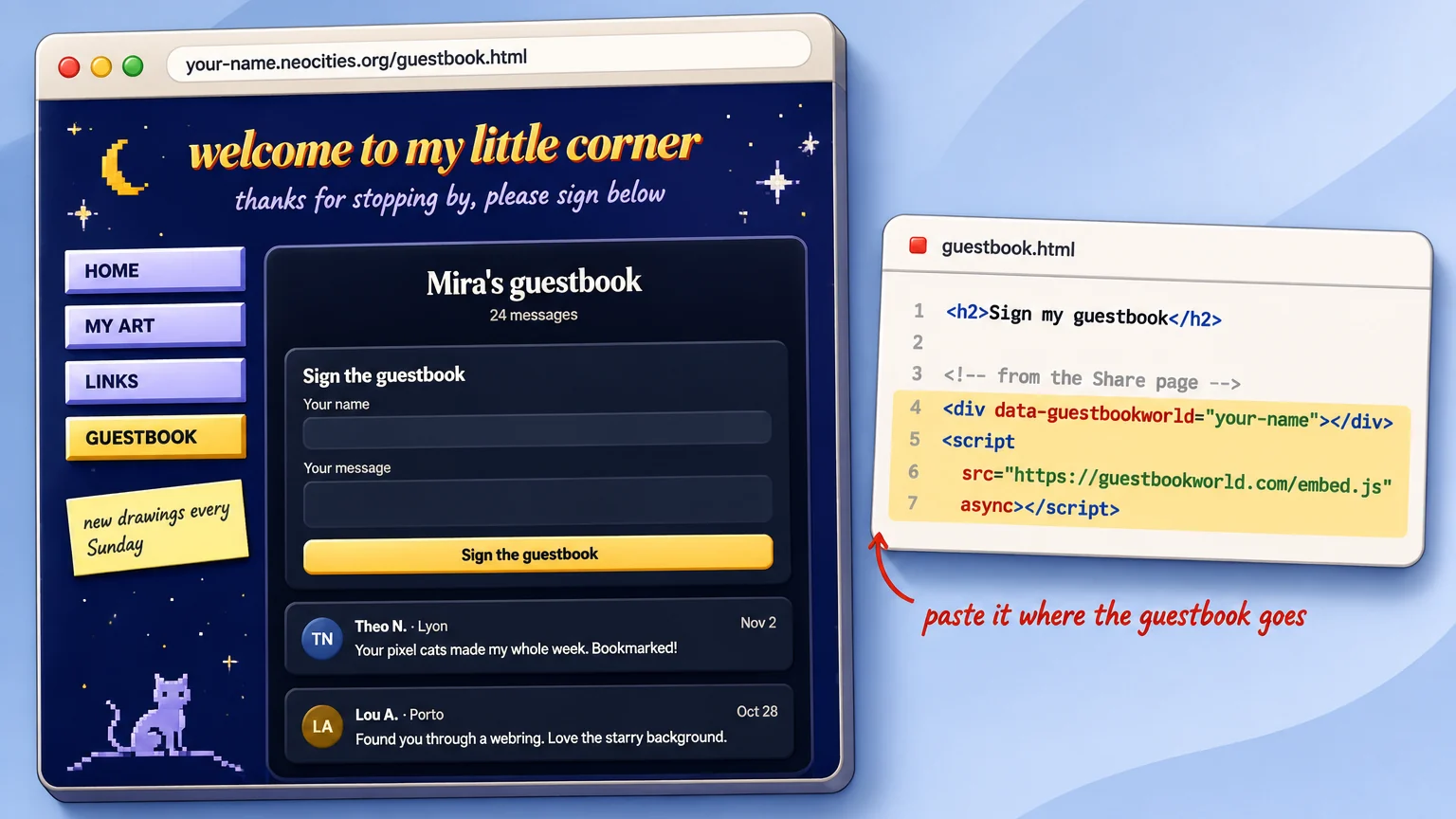
To add a guestbook to a Neocities site, you paste a small piece of HTML from a guestbook service into one of your pages, because Neocities only serves static files and cannot run a guestbook on its own. With ours that is two lines of code, and the guestbook appears inside your page and grows as people sign it.
Why Neocities needs an outside guestbook
Wikipedia describes Neocities as a hosting service for static pages, launched in 2013 by Kyle Drake to bring back the free personal hosting of GeoCities, with no server-side scripting on free or paid plans. Its list of allowed file types covers HTML, CSS, JavaScript, images and fonts, and PHP is not on it.
That rules out the classic guestbook scripts from the early web, which needed PHP and a database on the same server. A modern Neocities guestbook lives somewhere else and shows up in your page through a small embed, the same way a video player does.
Step by step
- Make a free guestbook for your website and pick its address, such as guestbookworld.com/g/your-name.
- Open the guestbook’s Share page and copy the embed code. It looks like this:
<div data-guestbookworld="your-name"></div>
<script src="https://guestbookworld.com/embed.js" async></script>- In your Neocities dashboard, open the page where the guestbook should go, often a new guestbook.html, and paste the two lines where you want it.
- Save, open your site and sign the guestbook once yourself to see it work.
The first line marks the spot, and the second loads the guestbook into it. The frame grows to fit the messages, so you do not need to set a height.
Will it work on a free Neocities site?
Yes. We checked both sides on November 9, 2026. Neocities serves member sites with a content security policy that allows scripts and frames from other https sites, and our guestbook pages allow any site to frame them. That is all the two lines need, so they work the same on a free account as on a supporter one.
A link or a badge instead
If you would rather not add any JavaScript, link to the guestbook’s own page instead. Every guestbook has one, and it matches the theme you picked. The Share page also has a small “Sign my guestbook” badge, 200 by 52 pixels in a light and a dark version, ready to paste into your sidebar or your links page.
The same code on any HTML page
Nothing in the two lines is specific to Neocities. They work on any page where you can edit the HTML: a hand-written site, a page on GitHub Pages or a blog theme. On a site builder, paste them into its custom HTML or embed block if it has one.
Keeping spam out
Personal sites attract spam bots, so the guestbook has a bot check on the signing form and holds any message with a link until you approve it. You can also switch on review mode and read every message before it appears. The rest of the controls are on our features page, and how it works shows the whole setup from sign-up to the first message.
Quick answers
Can Neocities run a PHP guestbook? No. Neocities hosts static pages only, and PHP is not one of the file types it accepts.
Is it guestbook or guest book? For websites, one word is the usual spelling, as our guide to guestbook or guest book explains.